Choose the tools your team needs.
Core brings your people and everyday information together. Add the products you need for detailed duty planning, competency records, equipment or command support.
Available
The information
your people need.
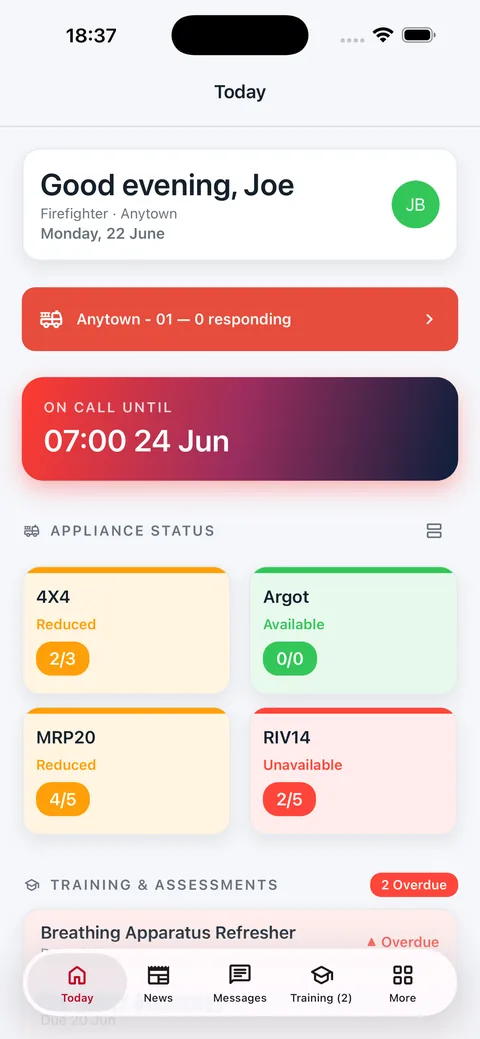
Core brings everyday updates, turnout and call-out alerts, training and personal records into the team app and web portal. Wellbeing, team chat and staff offers are optional modules you can add.
Send a briefing that needs an acknowledgement. Check an upcoming course. Respond to a call-out or find a support contact when you need one.
Core provides the shared directory and configurable labels for people, teams, locations and vehicles. Rota and Skills add more detailed planning and competency workflows, licensed separately. Terminology options in the other products are reviewed during setup.
What is included in Core?
These features are available in Core. Wellbeing, team chat and staff offers are optional modules, licensed separately. Your service’s setup and your role determine what you can see and manage.
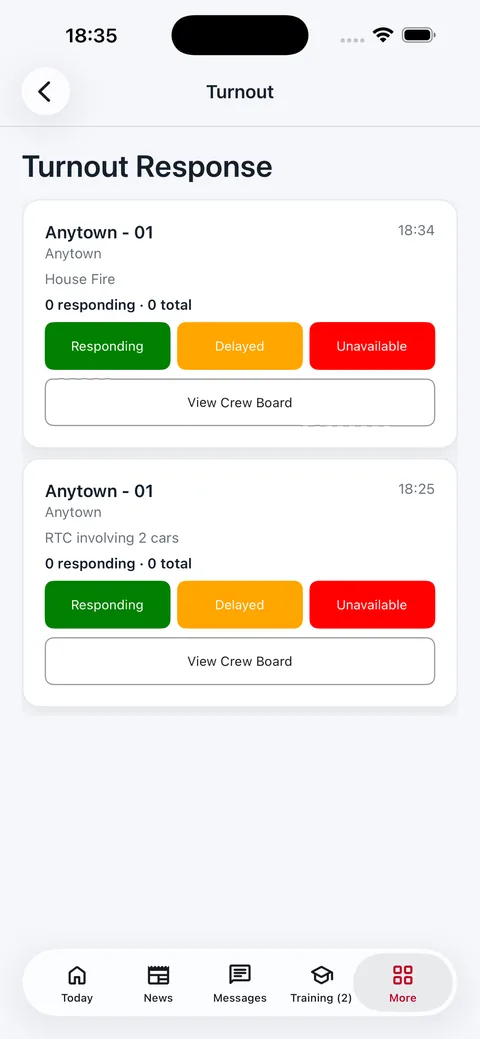
Turnout and call-out alerts
Send an alert to a person or a location’s team. People can respond and give an estimated arrival time. Test alerts let you practise the workflow.
Critical notifications depend on the device and its permissions. On-call filtering follows the member’s notification preference.
Wellbeing and support (optional)
Record how you’re feeling in a wellbeing journal, look back at your recent entries and find your service’s support contacts. Choose a journal sharing option or ask the wellbeing team to contact you.
Team check-ins and follow-up records help those responsible for support. We’ll walk through who can see what during setup.
News and briefings
Publish service news, send targeted messages and request acknowledgements. Read and acknowledgement records help you follow up a briefing.
Team chat (optional)
People at the same location can chat, with replies and reactions.
Documents, calendars and events
Keep policies and procedures in a categorised document library. View your duty and on-call entries in a personal calendar, and add personal or shared location events for the intended audience.
Training and qualifications
See assigned practical training, e-learning due dates and enrolled courses with venue and time details. Qualification records show what is current, expiring or expired. Skills adds the full competency framework and evidence review workflows.
Availability and vehicle status
Record basic on-call availability and see vehicle staffing and availability information. Rota adds the detailed shared planner, repeating duty patterns and approval workflows.
Incident awareness
View a read-only incident feed for your locations when a control-room connection is configured. Agree the source and information supplied during setup. Command adds incident coordination and command support records.
Ask HQ
Send a question to the relevant service category and follow its replies in My Requests. Keep the question and the response together, so you can refer back to them.
Mobile access and widgets
Sign in to the iOS or Android team app with an email code, then unlock using supported device biometrics or a device passcode. Home-screen widgets show duty, vehicle status, training and message counts from the last update.
Previously loaded duty entries, training information and support contacts can be read offline. Sending replies and receiving updates need a connection. Read about app access.
Staff offers (optional)
Find the discounts and benefits your service shares with its people in the offers section.
Available
A clearer plan
for the week ahead.
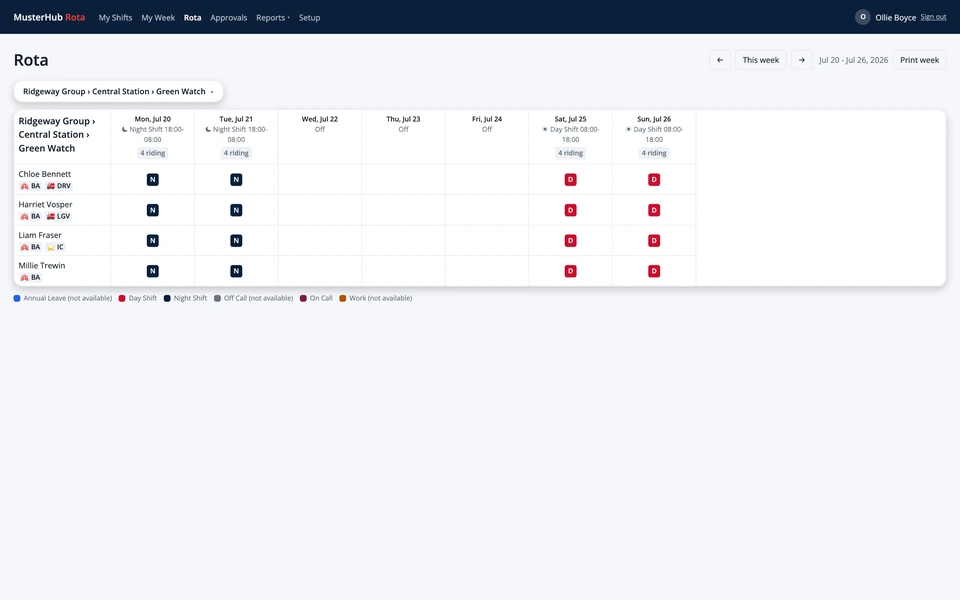
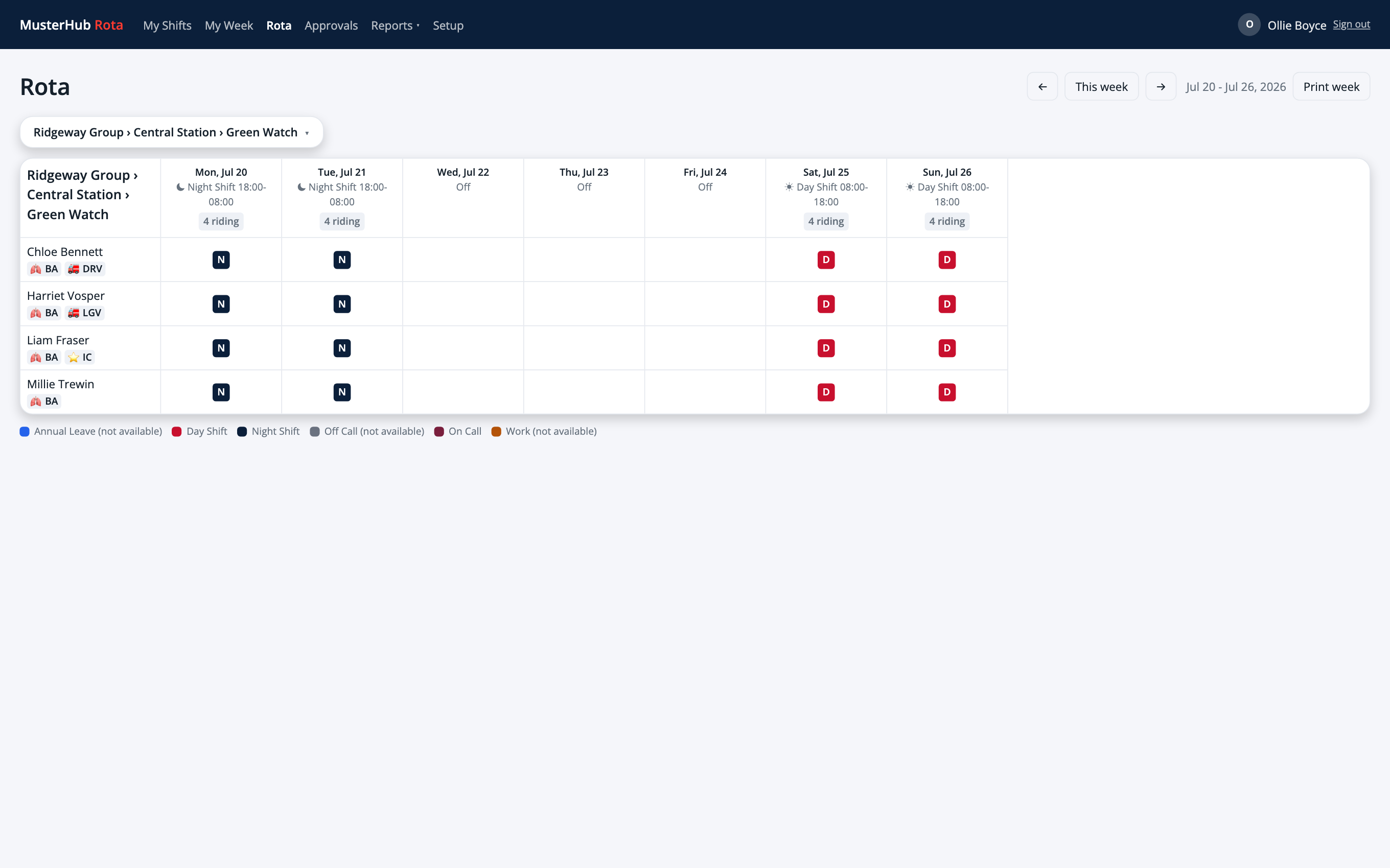
See duty plans, people’s availability and requests in a shared planner.
- Team planning and repeating duty patterns
- Personal availability and upcoming shifts
- Leave, shift swaps and overtime approvals
- Staffing views, cover counts and records of changes
Team members can manage their own requests while planners work through cover and approvals. Your service sets the duty patterns, leave policies and access roles.
Planning, requests and records
Duty patterns and planner views
Set repeating duty patterns and review the plan by day or week. See bookings and cover counts together, rather than checking each person’s diary.
Availability and cover requests
People record when they can work and respond to cover requests. Personal calendar feeds help them see upcoming duties alongside their other commitments.
Leave, swaps and overtime
Submit leave requests, propose shift swaps and record overtime claims. Managers have an approvals inbox for the teams they are responsible for.
Balances and payroll exports
Track leave and time-off-in-lieu balances using your service’s policies. Export approved overtime and worked hours to CSV, with the format agreed for your payroll process.
Staffing and coverage
Review staffing requirements and try coverage scenarios before changing the plan. A configured Skills connection brings competency information into staffing decisions.
Records of changes
Audit records show who made a recorded change, when it happened and the old and new values. Managers can review those records when a booking needs explaining.
Available
Keep the evidence.
See what needs attention.
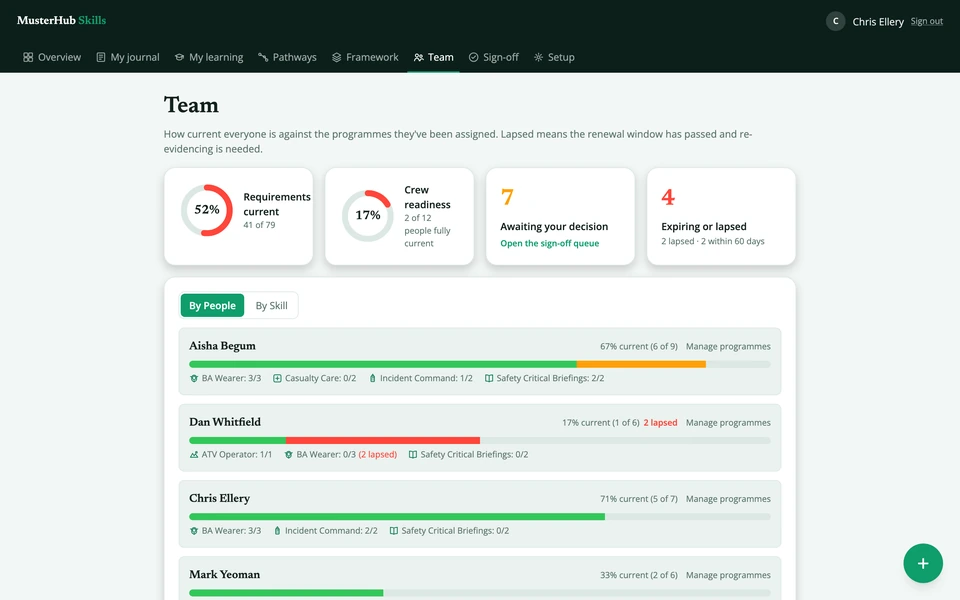
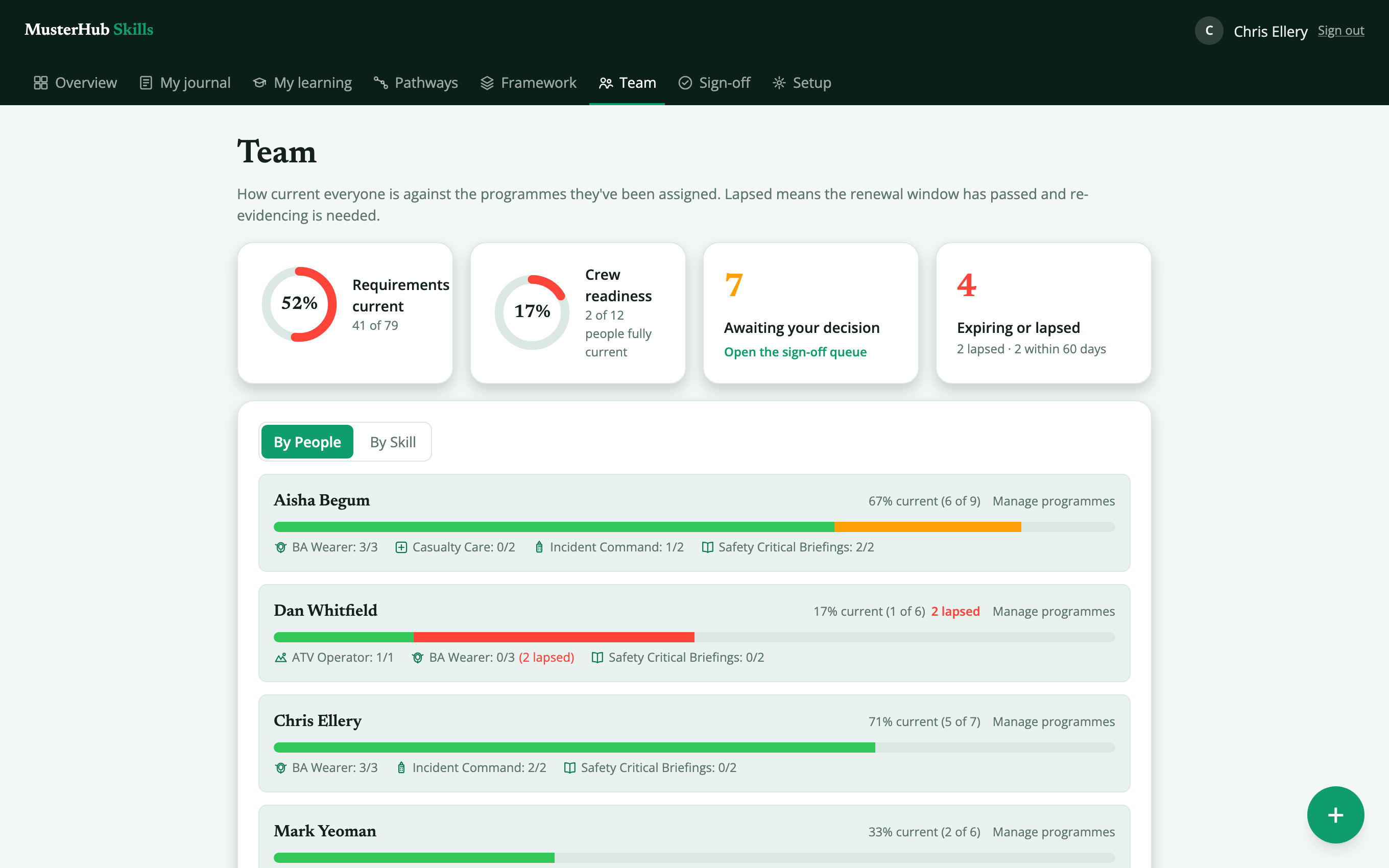
Connect training evidence to your service’s competency framework, run the courses that keep people in date, and see who needs what next.
- Competency requirements and capability programmes
- Evidence, verification and countersign workflows
- Course bookings, attendance and practical assessments
- Quizzes, certificates and a team compliance matrix
Members add evidence and book courses, reviewers verify and assess, and training teams track the requirements still needing attention. Your service supplies the framework and chooses who reviews each type of evidence.
From evidence to a reviewed record
Your competency framework
Define requirements and capability programmes around your service’s framework. Assignment rules help apply requirements to the people who need them.
Evidence and attachments
Keep an evidence journal with notes and supporting files linked to requirements. Members and reviewers can refer back to the material behind a competency record.
Verification and quality assurance
A person cannot verify their own evidence. Where quality-assurance countersign is required, a separate reviewer checks it after verification; neither the author nor the original verifier can countersign.
Team competency views
See which requirements are current, expiring or lapsed, and which reviews are waiting. Training teams can use this view to plan the next review or training activity.
Courses and bookings
Publish scheduled and recurring courses. Learners request a place and managers approve it, with a waitlist for full courses and requests to change dates. Before each date, readiness shows numbers, instructors and booked resources.
Attendance and assessments
Mark attendance to complete linked e-learning and add evidence for practical requirements. Assess practical skills against a rubric with per-criterion scores and a fixed report once the assessment is complete.
E-learning, quizzes and your LMS
Add a knowledge check to an e-learning requirement, with several question types and a pass mark. Completions can also come from your existing learning system through the integration API; hosting learning content is a separate arrangement.
Compliance matrix and certificates
See your team’s requirements in one matrix and download it as CSV. Learners and managers can download a PDF certificate for a programme once every requirement in it is complete and in date.
Competency and duty planning
A configured connection shares competency information with Rota. Agree the requirements and mappings used for staffing, so planners understand what the information means.
Available
Your asset structure.
Configured for your team.
Set up a hierarchy that makes sense for your fleet, estates or equipment team. Configure the names and types at each level, and use different depths of nesting across its branches.
- Configurable asset types and hierarchy levels
- Checks, defects with photos and documents linked to each asset
- Readiness for each vehicle, with critical kit marked
- A handheld app that works without a signal
A fleet team might group equipment under vehicles. An estates team might use buildings, rooms and the equipment within them. Administrators configure the structure and check routines around the assets your team manages.
- Fleet
- Vehicle
- Equipment
- Vehicle
- Estate
- Building
- Room
- Equipment
- Room
- Building
Your hierarchy, checks and records
Configurable hierarchy
Define the asset types and names your team uses at each level. Nest assets to the depth each branch needs, whether you’re managing a fleet, an estate or equipment stores. Follow the hierarchy to see what belongs where.
Search and tagged items
Find a record by searching or using a configured QR or barcode tag. Check the record against the item in front of you before recording a result.
Check routines
Set recurring check routines and record results against individual items. Keep pass or fail results and notes with the equipment record.
Defects and follow-up
Record a defect with a photo, notes and severity, then review open and resolved records. Failed check results can create a linked defect record. A critical defect alerts the handhelds at that location straight away.
Readiness
Readiness is worked out for each vehicle or other top-level asset, and a fault on kit marked as critical takes it off the run. The readiness overview lists every location, worst first.
Works without a signal
The handheld keeps a copy of its location’s assets, routines and open defects. Checks and defect reports made offline are sent when the connection returns, in the order they happened.
Documents and check history
Attach manuals and certificates to any asset and open them on the handheld. See each routine’s recent checks and whether random spot checks were done in time.
Administration and field use
Administrators manage equipment details and routines; field users find records and complete checks. Agree your hierarchy, permissions and device setup before rollout.
Available
Support the incident.
Keep the picture together.
Bring incident information and command support records into a shared view for the people coordinating the response.
- Incident information, attendance and resource relief
- Command handover, decisions and sectors
- Breathing apparatus entry control and hazards
- A tablet app for appliances and a full incident record
Command works alongside your CAD or mobilisation system. Agree the feeds, device setup and routing coverage with your technical and operational teams, then validate them for your service’s use.
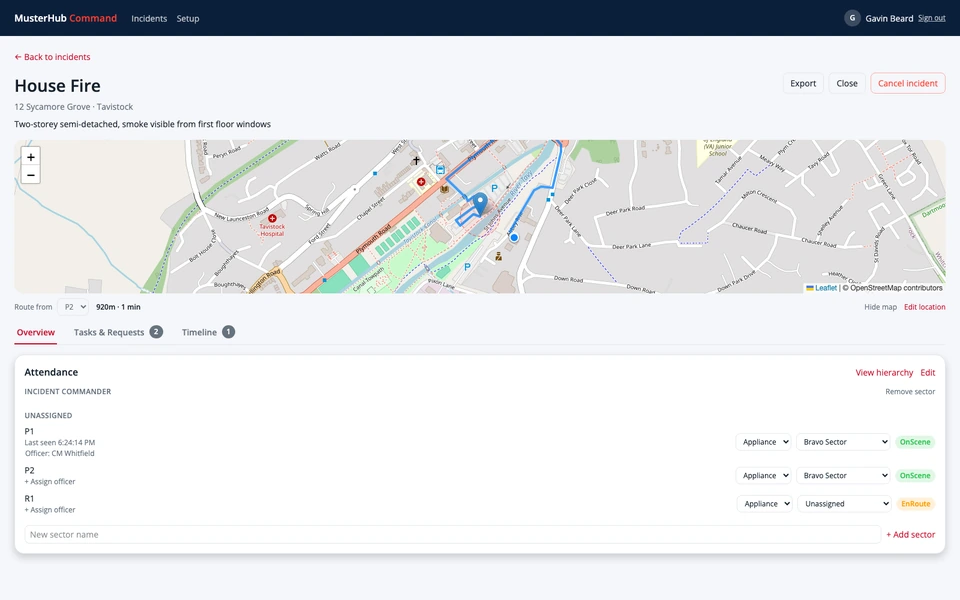
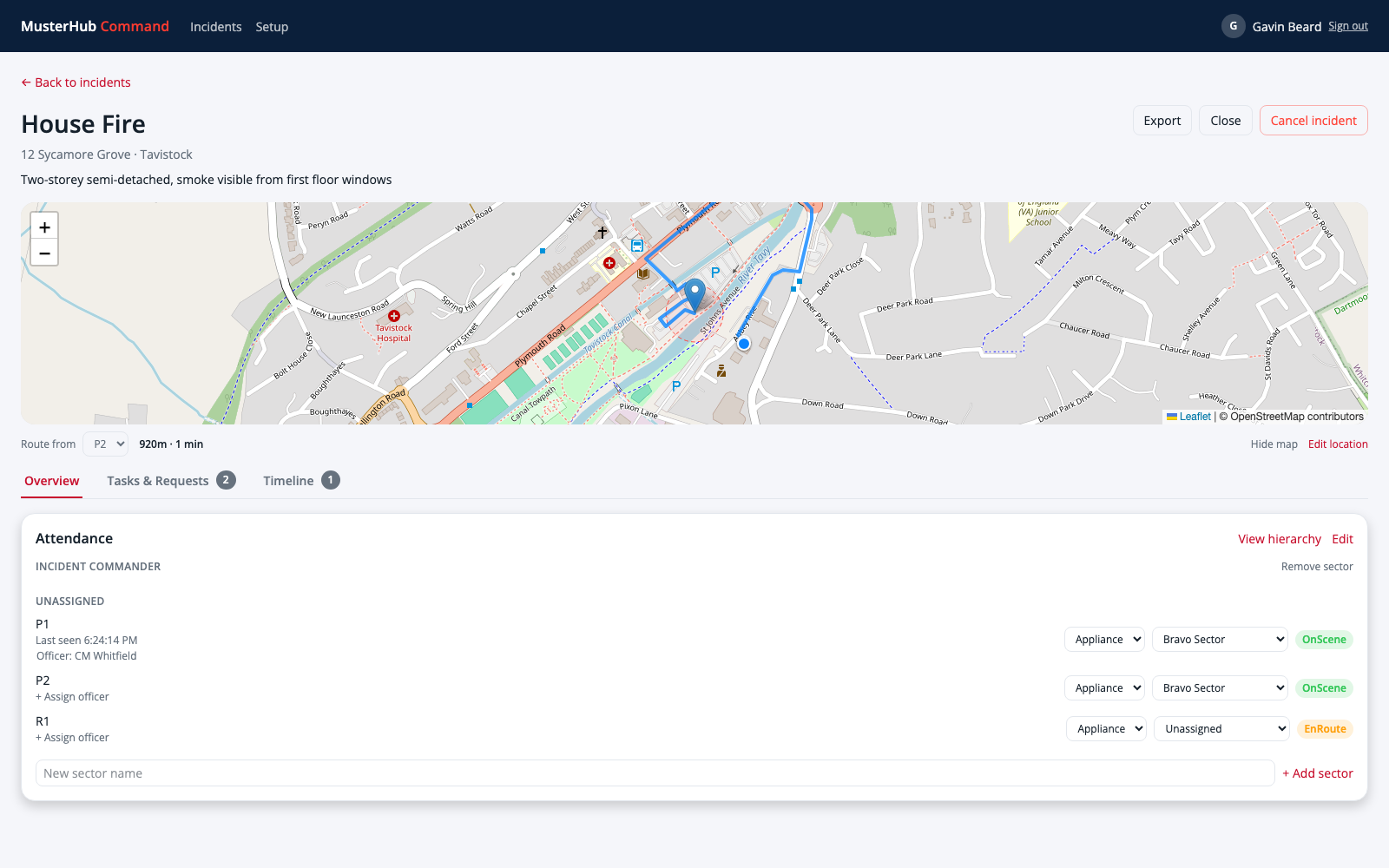
The incident support record
Incident information
Receive incident details through a configured integration or create an incident manually. Agree which information your control-room source supplies and how updates are handled.
Sectors and responsibilities
Organise sectors and objectives, and record the people responsible for them. The hierarchy helps command support teams follow the incident structure.
Attendance and device positions
Track resource attendance alongside available device positions. Location information depends on device reporting; check its freshness when using it to support decisions.
Tasks, requests and timeline
Assign tasks, follow their status and record resource requests. Timeline entries keep updates together for the people supporting the incident.
Command, handover and decisions
Show who is in command and record an accepted handover. Keep a decision log of what was decided, why and by whom, with every earlier version kept.
What needs attention now
Each incident opens with a panel of what needs someone: overdue breathing apparatus wearers, unacknowledged hazards, uncontrolled high risks, a pending handover and appliances whose position has gone stale.
Appliance tablets
The Android tablet app shows the incidents an appliance is attending, takes hazard acknowledgements, runs breathing apparatus entry control and gives route guidance. Opened incidents stay readable without a signal; changes need a connection. Route guidance does not replace your satnav or MDT.
Risks, relief and attachments
Keep the risk log, photos and documents with the incident. Record vehicle-for-vehicle relief as arranged, arrived, accepted and released steps.
The full incident record
Print or save as PDF the complete record: command and handovers, decisions with every version, objectives, the risk log, attendance, breathing apparatus entry control, tasks, the timeline, photos and documents, and the full change history. The same record can be downloaded as a data file for retention.
MusterHub Portfolio
Project, programme and portfolio management for the teams delivering change. Keep a register of projects with their status, finance, benefits and milestones; manage actions, risks, issues and decisions; plan people’s time across projects; collect timesheets; and issue highlight reports through a review step. Portfolio runs on its own, with its own accounts or sign-in through Microsoft, and doesn’t need Core.
See MusterHub with your team.
A walkthrough can cover the member experience as well as planning and administration. Invite the people who handle operations, training or IT, so we can answer their setup questions together.