MusterHub brings briefings, call-out alerts and training records together for emergency service teams. Connected products cover duty planning, competency, equipment and command support.
For operational teams, managers and the people supporting them.
A shared working picture
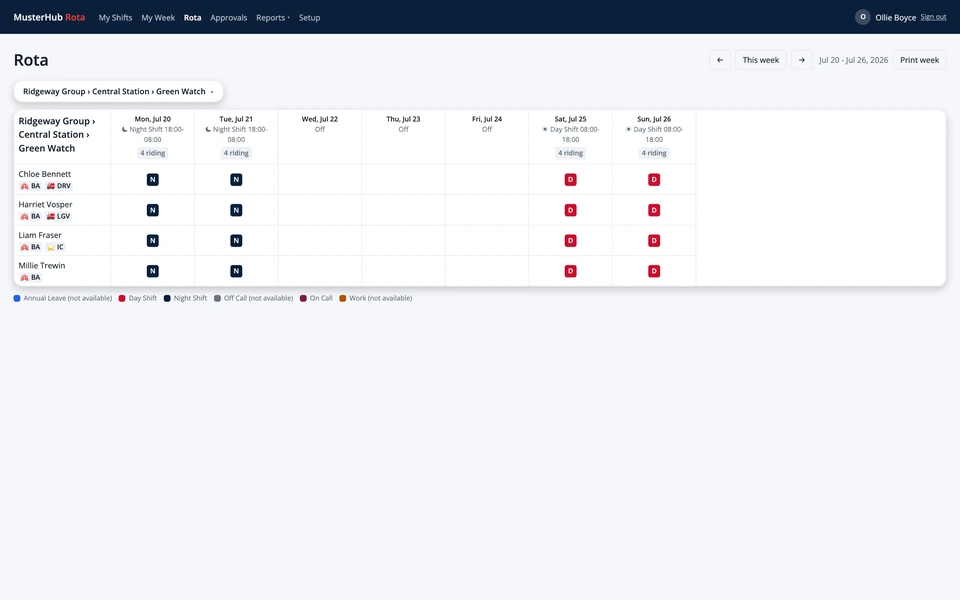
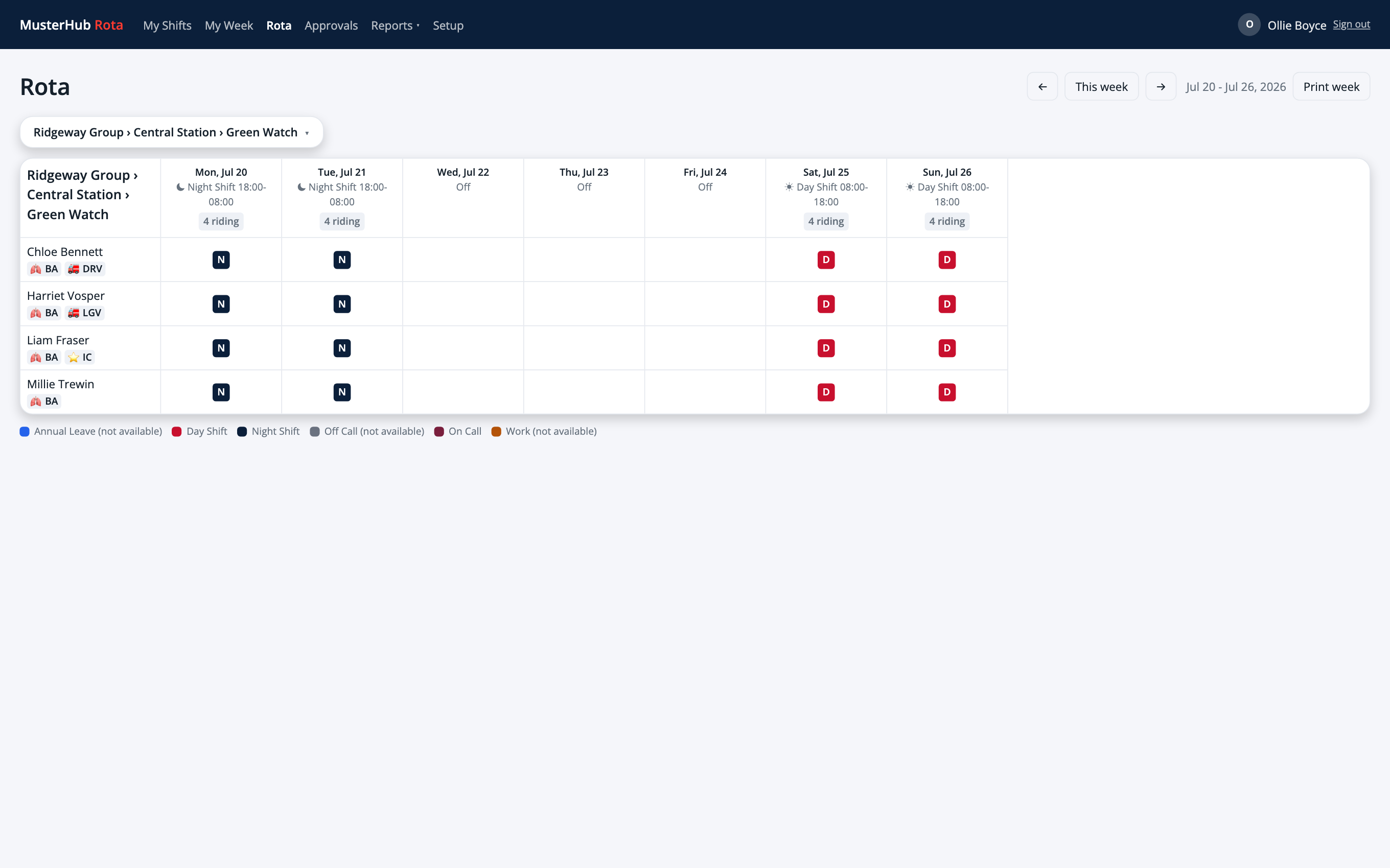
MusterHub Rota
The duty planner. The team app.Fire and rescue example. Demo data shown.
Your service. Your terminology.
Fire & rescueAmbulancePoliceRescue & volunteers
The MusterHub products
Choose the tools that fit your service.
Core covers the everyday essentials. The other products add tools for duty planning, training, equipment and command support.
Core, Rota, Skills, Assets and Command are available, and Portfolio is available for pilots. Configuration, integration and rollout are agreed for your service.
MusterHub Core
Briefings, call-outs and everyday information in one place.
Share news, briefings and documents, with acknowledgements when needed. Core also gives your people a place to respond to call-outs and see their training. Add wellbeing support, team chat and staff offers if you need them.
Configure the hierarchy to suit your fleet, estate or equipment team. Keep checks, defects, photos and documents with each asset, see readiness for every vehicle, and record checks on a handheld even without a signal.
For fleet, estates, equipment and operational teams.
Illustrative fleet and estates examples. Your branches can use different levels and depths.
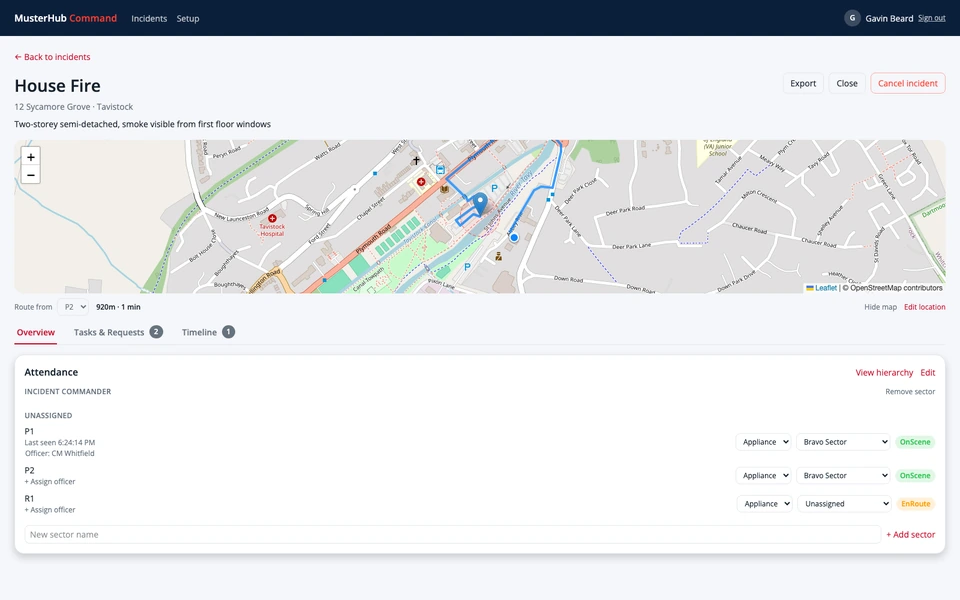
MusterHub Command
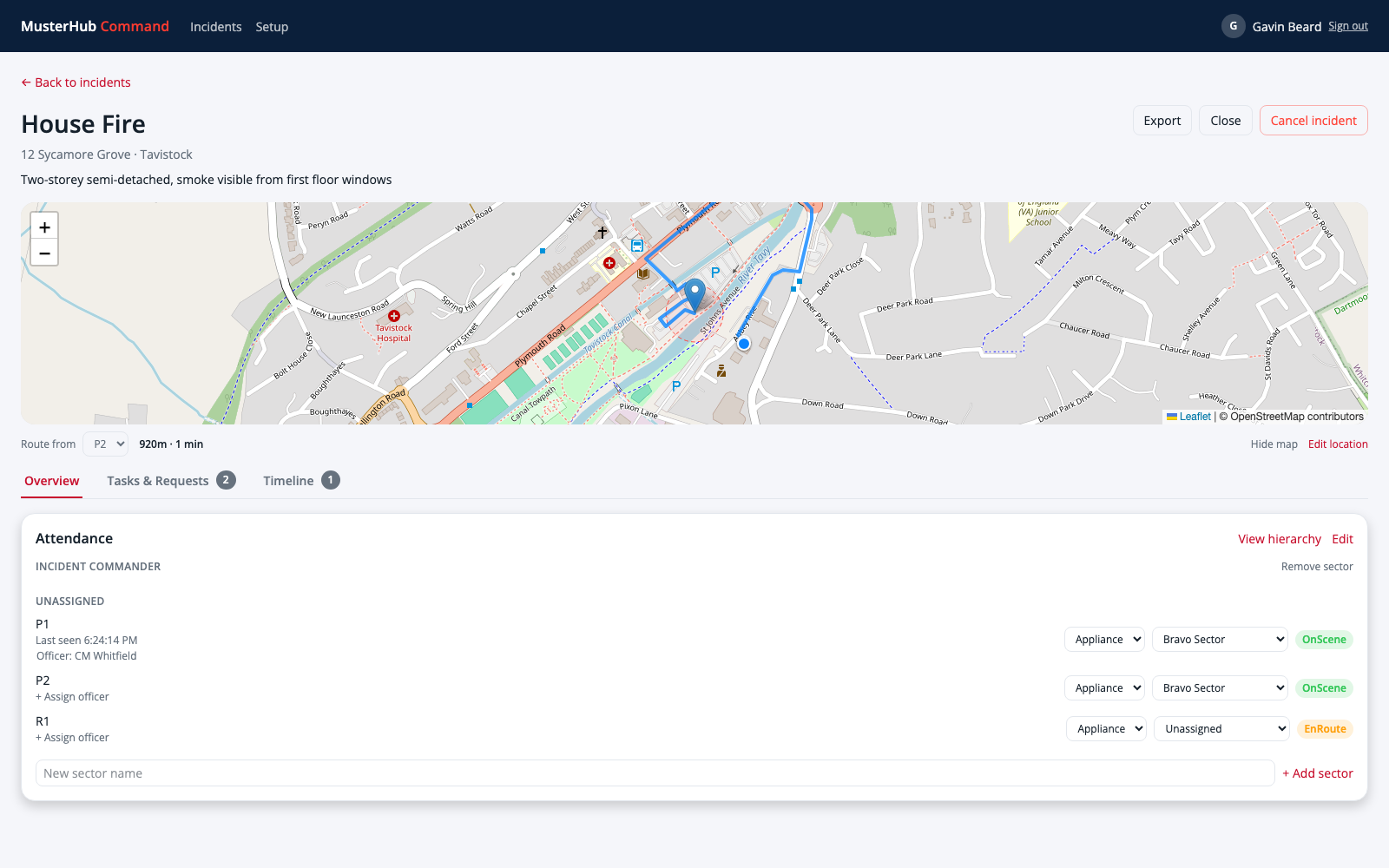
Keep incident information in a shared view.
Bring attendance, command handover, decisions, breathing apparatus entry control and risks together, with a tablet app for appliances. Discuss your CAD integration in a demo.
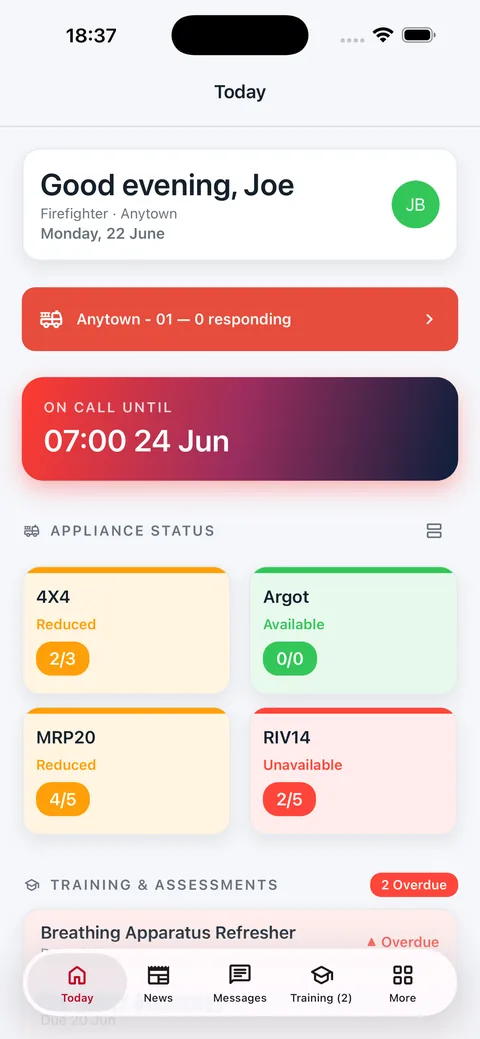
Sign in to the team app with a one-time code sent to your email. On supported devices, use Face ID, Touch ID, fingerprint or your device passcode to unlock it.
Check your home screen
Widgets show duty, vehicle availability, training and message counts from the last update. Refresh timing depends on your device; open the app for the latest information.
Read selected information without a signal
Previously loaded duty entries, training information and support contacts can be read offline. You need a connection to send replies and receive new updates.
For your service
Your service, your words.
Core lets you configure labels for people, teams, locations and vehicles. Use the terms your people recognise, then work through the workflows you need in the other products.
Example workflows to explore in a demo
Ambulance
Check the duty plan before your shift, read a team briefing and find the equipment record for your base.
Police
See upcoming duties, read team updates and check which qualifications are coming up for renewal.
Coastguard, rescue and volunteers
Record when you’re available, keep training evidence up to date and find the equipment assigned to your team.
Fire and rescue
Respond to a turnout alert, check staffing and read the latest briefing before your next duty.
Why MusterHub
Information should help you get on with the job.
From the person building MusterHub
I built MusterHub because I’ve seen first-hand the frustration emergency workers face when information is spread across multiple systems, each with a different level of ease of use.
The aim is to give people one place to find the information they need, and get the right information to the right people when they need it.
Access settings matter, especially for personal records and wellbeing information. Make them part of your service’s setup and explain them to your people.
Core uses access roles to control what people can see and manage. Agree the roles and approval permissions in each product before rollout.
Member and administrator access
Members use email codes to sign in. The Core admin portal has a separate email-and-password sign-in. Review administrator access and device arrangements with your IT team.
Your hosting arrangements
Your service runs in its own Azure environment, self-managed or managed by MusterHub. Agree the region, backups, recovery and support responsibilities in your setup.
Wellbeing sharing choices
Journal entries have sharing settings, and stored notes are encrypted. Team check-ins and support follow-up records have separate access rules. Review these with your wellbeing team.
Licensing and hosting
Choose the setup your service can support.
Annual licences with unlimited users. Pricing depends on the products, hosting and support your service needs, so we’ll set it out in a quote.
Self-managed
Run it in your Azure
Your team provisions and maintains the Azure environment. We provide onboarding and setup support.
Here are answers to common questions about the products, hosting and rollout. The setup guide covers what your operational, training and IT teams will need to decide together.
What is in Core, and what do the other products add?
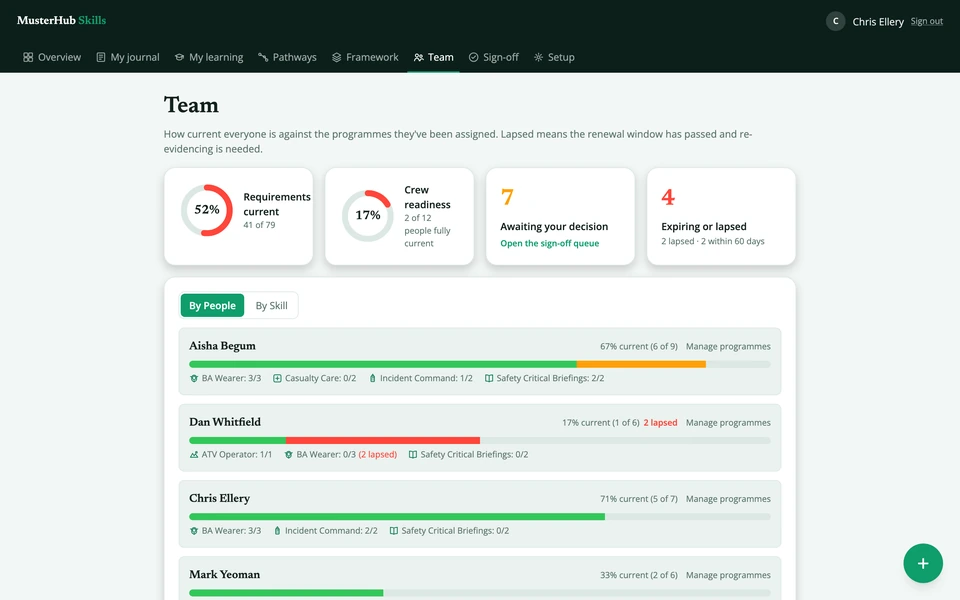
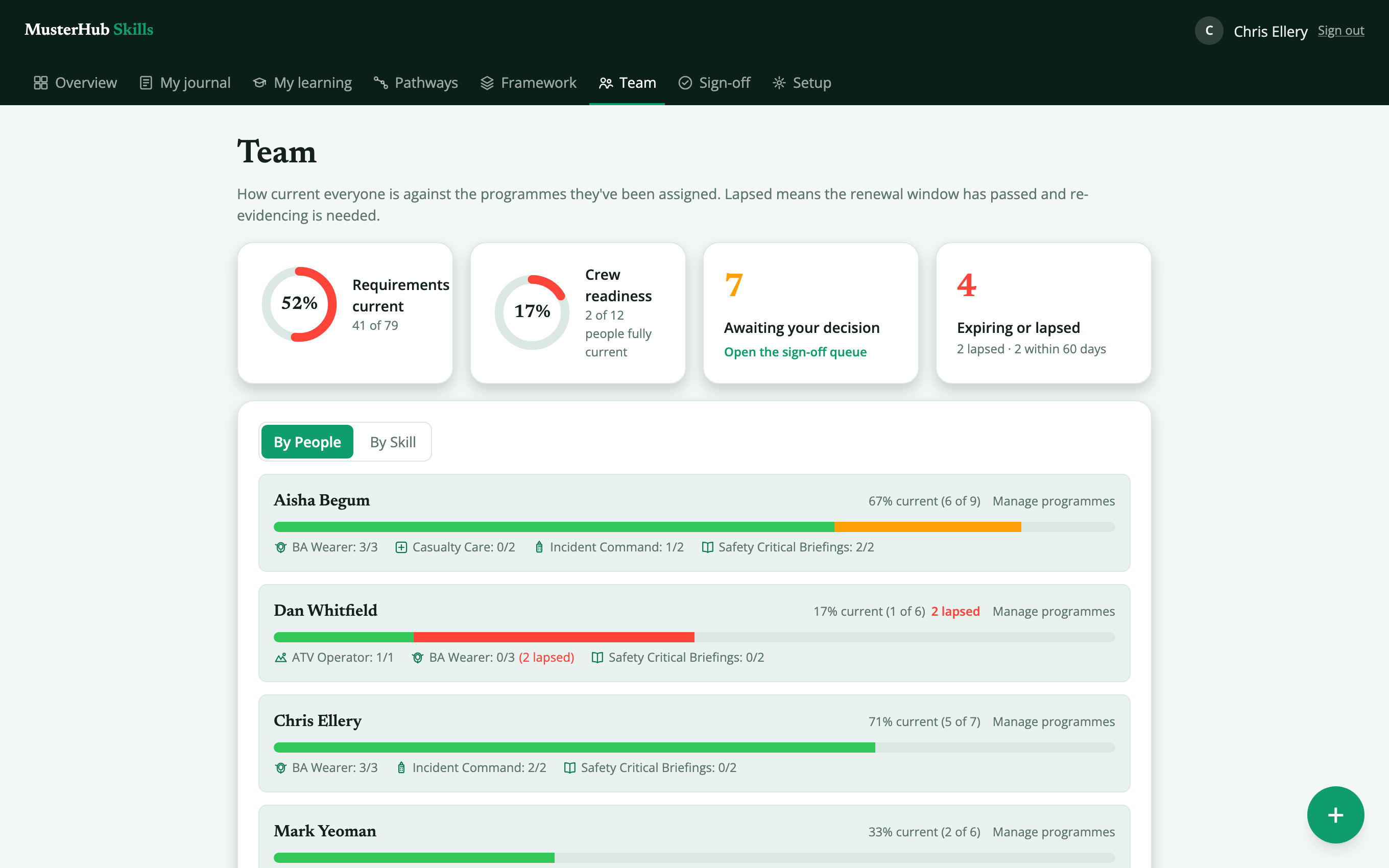
Core includes news, messages, documents, turnout and call-out alerts, events, basic availability and training records, with optional wellbeing, team chat and staff offers modules. Rota adds detailed duty planning and approvals; Skills adds competency frameworks, evidence, courses and assessments. Assets covers equipment records and checks, and Command supports the incident picture. Compare the products.
Can we use our existing systems?
We’ll review your systems and the data you want to connect. An available API and a tested connector are different things; your setup discussion should make clear what is ready and what integration work is needed. Developer information is available here.
Where will our service’s data live?
Your service runs in its own Azure environment, either managed by your team or through our managed hosting option. Agree the region, access and responsibilities during setup. Read about data processing.
Can we start with a pilot?
Ask us about a pilot for your service. We can discuss the people taking part, the workflows to try and what you need to learn before a wider rollout.
Do people need the mobile app?
The team app is available for iOS and Android, with web access for people using a browser. We’ll show the differences in a demo, including device notifications and access to cached information.
What will we need for setup?
Bring your team and location structure, a sample duty pattern or competency framework, and a list of the systems you need to connect. We’ll work through data migration, access, training and rollout with you. Read the setup guide.
What does support include?
Core includes email support. Managed hosting also covers infrastructure monitoring, patching and backups. Agree application support, escalation contacts and response arrangements in your quote. See the support questions to work through.
Let’s talk
What would you like to make easier?
Tell us about a workflow you want to improve. We’ll reply to discuss the relevant products and arrange a walkthrough.